BluePiano Bluetooth Wedge
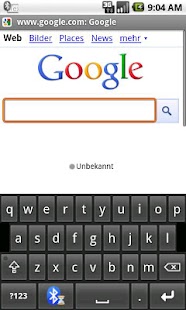
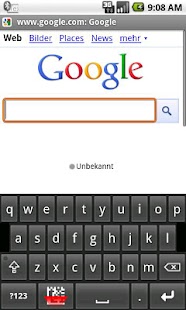
The received Bluetooth data appears like a manually entered text.This new input method provides a Bluetooth-enabled soft-keyboard.
Data from Bluetooth SPP/ Bluetooth RFCOMM devices (serial port profile) are captured and forwarded automatically to the input field of the active app.
BluePiano is compatible with every Bluetooth SPP device (Bluetooth devices supporting the Serial Port Profile or RFCOMM).
You do not need a special Android-enabled bar code scanner.
Please note that HID devices are not supported.
BluePiano automates bar-code scanning with external Bluetooth barcode-scanners like the Motorola/Symbol CS3070.
It can also be used for general data acquisition tasks ( e.g.
capturing external GPS or medical device data).
English, German, French, Spanish, Swedish, Finnish, Hebrew, Serbian, Cyrillic and Russian keyboard layouts are available.
Using BluePiano is very easy.
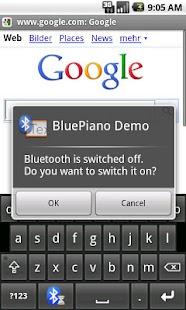
Lost Bluetooth connections can be restored by hitting a special key on the keyboard or in the notification bar (configurable settings).
BluePiano is also able to scan barcodes for back-up purposes, using either the built-in or an external camera scanner app.
SECURITY: Your data is safe; this app does not require outgoing Internet or texting permissions.
SUPPORT: In case of problems, questions or requests please contact [email protected] (e-mail) / TECIT Support (Skype).
We are also available over the phone.
(TEC-IT is located in Austria – time-zone GMT+1)
KNOWN ISSUES: Some Android devices use a faulty Bluetooth firmware and therefore, SPP communication might not work reliably.
SPP errors in Blue Piano’s Bluetooth Device Manager (long tap on the ?123 key of the BluePiano keyboard) will appear.
Here’s what you can do to solve this issue:
- Switch off Bluetooth and stop all related apps- Reboot your device- Turn Bluetooth back on- Re-connect it to your device- Start BluePiano
DEMO VERSION: A free demo with slight limitations is available in the Android Market.
All features are identical.
Just search for Apps published by TEC-IT.
Don’t forget to rate the app.
We highly appreciate your feedback.
About BluePiano Bluetooth Wedge
- Package name (App ID)
- com.tecit.android.bluepiano.full
- Available on
- Google Play
- Price
- Free
- Version
- v1.5.0
Looking for the BluePiano Bluetooth Wedge APK?
The safest way to get BluePiano Bluetooth Wedge (com.tecit.android.bluepiano.full) on your Android device is to install it directly from Google Play — you'll always get the latest official version, automatic updates, and no risk of modified or infected APK files from third-party sites.
Social Features
Connect and share with friends and the community.
Camera Features
Advanced camera features with editing capabilities.
Fitness Tracking
Track your workouts and monitor your health metrics.
See BluePiano Bluetooth Wedge in Action
Frequently Asked Questions
Is BluePiano Bluetooth Wedge free?
Yes, BluePiano Bluetooth Wedge is free to download and install on Android through Google Play.
How do I install BluePiano Bluetooth Wedge on Android?
Open Google Play on your Android phone or tablet, search for BluePiano Bluetooth Wedge or tap the Google Play button on this page, then tap Install. The app downloads and installs automatically.
What is com.tecit.android.bluepiano.full?
com.tecit.android.bluepiano.full is the App ID (package name) of BluePiano Bluetooth Wedge on Google Play. Every Android app has a unique package name, and it is the safest way to verify you are installing the official app.
Is BluePiano Bluetooth Wedge safe to download?
Installing BluePiano Bluetooth Wedge from Google Play is the safest option: you get the official version, verified by Google Play Protect, with automatic updates. Avoid APK files from unofficial third-party sites.
Get BluePiano Bluetooth Wedge Today
BluePiano Bluetooth Wedge for Android — free download on Google Play.
Compatible with Android phones and tablets — available on Google Play.
Ask AI about this app
Get instant answers about features, tips and more from popular AI assistants.